The Desert Sun
- 2.9
- Rating
- 10.00K
- Installs
- Free
- Price

 Analysis by App-foxy
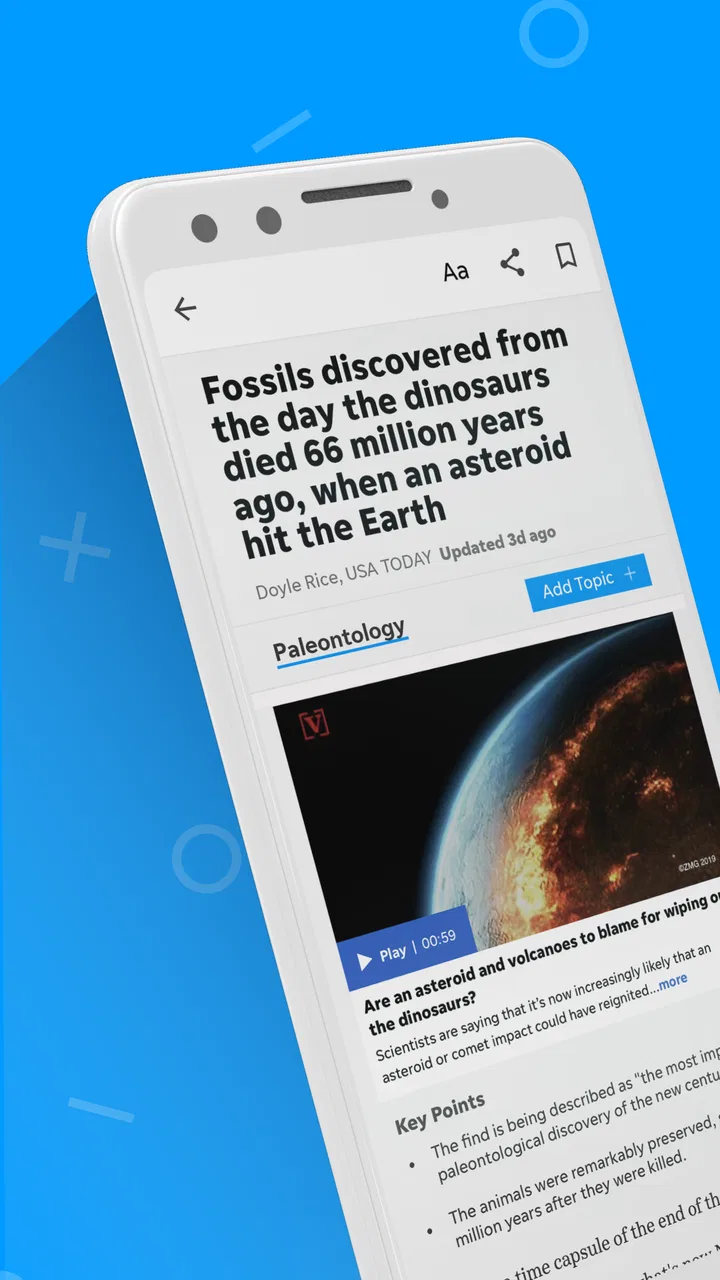
I approached The Desert Sun as a practical local-news app rather than as a replacement for every news source on my phone. Published by USA TODAY Co., it sits in the News & Magazines category and focuses on reporting connected to the Desert Sun audience, with national coverage, photography, and video alongside local stories. That mix makes it most useful when I want a quick sense of what is happening nearby without giving up broader context.
The app is free to install, although in-app purchases range from $16.99 to $69.99 per item. Its age rating is Everyone 10+, and it has been available since August 2, 2012. Those details matter because this is not simply a casual headline reader: it is a publication app built around regular reading, and some parts of the experience may be tied to paid access.
My overall impression is mixed but fairly clear. The Desert Sun can become a good daily habit for readers who care about its local coverage, especially when they use it selectively instead of opening it every time they want general breaking news. The strongest experience comes from combining a short morning scan, deliberate story selection, and a separate source for subjects the app does not cover in enough depth.
You May Also Like

 AccuWeather: Weather Radar
AccuWeather Review: A Quick, Clear Forecast for Everyday Decisions
For everyday plans, the best forecast is the one you can understand quickly. AccuWeather makes rain timing, radar, and local conditions easy to act on, with a few trade-offs.

 Hill Climb Racing
Why Hill Climb Racing Still Turns Crashes Into One More Run
A tiny car, a bumpy hill and one more upgrade: Hill Climb Racing keeps resurfacing because its simple chaos makes every near-miss feel personal.

 AliExpress - Shopping App
AliExpress Makes Global Shopping Feel Personal, but Shoppers Bear the Risk
AliExpress turns a global marketplace into a pocket-sized discovery engine. Its reach is useful, its shopping loop compelling, and its trade-offs easy to miss.

 Lords Mobile: Kingdom Wars
Lords Mobile Is a Kingdom-Building Routine, Not a Quick Match
A case-by-case verdict on the building, battles, device demands, and social commitments that make Lords Mobile rewarding for some players and exhausting for others.

 PDF Scanner app - TapScanner
TapScanner Makes Paperwork Easier to Capture, Check, and Share
TapScanner makes scanning with a phone feel less like a rescue operation and more like a dependable step in getting work done. Its capture tools are useful, though not flawless.

 Block Blast!
 Shows How Much a Puzzle Game Can Leave Out
A quiet grid game shows why puzzle players increasingly value instant clarity, repeatable skill and low-pressure play—and where the genre still needs to catch up.
More From Our News Desk
View All News


How I would build a dependable daily reading routine
I would make the routine dependable by giving the app a specific place in my day, rather than relying on memory or reacting to every headline. A short check at a calm moment lets me notice local stories worth following, while a later return gives developing coverage room to gain context. I’d also keep a simple distinction between news I need for today and stories I can read when I have more time.
Start with local relevance, not endless scrolling
The most sensible baseline workflow is simple: open the app when I have a few minutes, scan the available headlines, and choose stories that affect my immediate interests. Local news is often more useful when read with a question in mind. I might be checking for changes that affect a commute, a community event, a public decision, or the wider feel of the area. That approach prevents the app from becoming a stream of headlines that I consume without remembering.
I would not treat every item as equally urgent. A local report may be valuable because it explains a developing issue, while a national story may only need a quick glance. The app’s combination of regional reporting and broader news makes this distinction important. If I read everything in the same way, the national material can crowd out the reason I installed a local publication in the first place.
The photography is also part of the reading experience rather than a minor decoration. Strong images can help me understand a location or event faster than a headline alone, while video can be useful when seeing the setting or sequence of events adds something that text cannot. I still prefer reading the full article when the subject affects a decision, because visual material can provide atmosphere without supplying all the necessary context.
A realistic everyday use case
On a weekday morning, I would use The Desert Sun for a short local check before moving to broader sources. I would look for the stories most likely to affect my day, open one or two that need context, and save my attention for reporting that has a direct connection to the community. Later, if I had more time, I could return for a longer article or a video rather than trying to finish the entire feed at once.
This routine works better than opening the app repeatedly whenever I feel bored. Repeated checking can make any news product feel noisy, especially when headlines change faster than the underlying story. A fixed reading window gives the app a clear job: local orientation first, deeper reading when there is a genuine reason.
What I would expect on the first launch
The app is not difficult to understand, but new readers should decide early what they want from it. If the goal is local reporting, I would judge the app by the usefulness and clarity of those stories, not by whether it offers the same breadth as a large national news aggregator. If the goal is a complete news replacement, I would probably find the experience less satisfying because no single publication can cover every topic equally well.
The current version is 8.10.3 and requires Android 8.0 or later. That makes device compatibility worth checking before downloading, particularly if the phone is older. Once installed, I would also give myself a few sessions before deciding whether the app fits my routine. News feeds can look different depending on what is happening that day, so one quiet visit is not enough to judge the publication’s value.
Settings and habits worth checking first
My first practical step would be to review the app’s notification controls in the app and in the phone’s system settings. News alerts are useful only when they mark something I genuinely want to know immediately. If every alert interrupts work, driving, meals, or sleep, I would reduce them rather than abandoning the app entirely. A quieter setup often makes a publication feel much more useful.
I would also check how the app handles reading preferences, account access, and any subscription prompts as they appear during normal use. I would not assume that a free download means every article or feature is available without payment. Since purchases are offered inside the app, it is sensible to understand what action leads to a purchase before confirming anything, especially on a shared device.
Another worthwhile check is the phone’s text and display behavior. News apps are easier to use when the text is comfortable at the device’s chosen size and when video does not begin competing with reading unexpectedly. These are not glamorous adjustments, but they affect whether I can read a longer article without fatigue. I prefer to make those changes once and then concentrate on the journalism.
The best setup is the one that protects attention rather than producing the most alerts. For me, that means keeping only the notifications that help with timely local awareness, then opening the app intentionally for everything else. If a reader wants a constant breaking-news stream, a dedicated live-news service may be a better match than a publication app built for considered reading.
Use visual stories with a clear purpose
The photography and video give the app a different rhythm from a text-only news reader. I would use them when an image can clarify scale, place, people, or movement. A video may help me understand an event’s atmosphere, but I would not treat it as a substitute for reading the article’s details. This distinction is especially useful when I am short on time: watch when the visual element adds evidence or context, read when the important information is explanatory.
There is also a practical data and attention trade-off. Video is more demanding than a headline scan, so I would avoid letting it define every visit. On a limited connection or during a busy morning, I would read the most relevant text first and return to visual material later. That habit keeps the app useful even when I do not have the time or bandwidth for a richer presentation.
Faster patterns for experienced readers
After using the app for a while, I would develop a repeatable three-pass method. The first pass is headlines only. The second is a quick look at the stories that appear locally important. The third is reserved for one article that deserves full attention. This pattern is faster than opening every item and still leaves room for depth.
I would also separate “need to know” from “nice to know.” A public development, local disruption, or community issue may deserve immediate reading. A general-interest national story can wait until I have finished the local material. This small decision rule prevents the broader section from taking over the session and makes the app’s local identity more valuable.
When a story is developing, I would avoid judging it from the first headline alone. I would revisit it later if the subject matters, because early reports can change as more information becomes available. The app is more useful as part of a repeatable check-in habit than as a single definitive answer to every breaking question.
Pair it with the right alternatives
Compared with a general news aggregator, The Desert Sun offers a more focused editorial destination. An aggregator is usually better when I want many publishers, rapid topic switching, or a broad international sweep. The Desert Sun is the better choice when I want one publication’s local perspective and do not want to assemble that coverage from scattered links.
Compared with a national newspaper app, it is more appealing for readers whose interests are tied to the community served by the publication. A national app may provide deeper specialist desks and wider reporting resources, while this app’s value comes from relevance and proximity. I would use both if local awareness and national analysis were equally important.
Compared with reading the publication in a mobile browser, the app should feel more direct for regular visits, particularly for readers who prefer a dedicated icon and a publication-centered environment. The browser can still be preferable for occasional readers who do not want another installed app or who move between many sources. The choice is mainly about routine and focus rather than a universal winner.
Where the experience becomes less convenient
The average rating is 2.9 from around 205 ratings, with around 69 written reviews. I would treat that as a reason to test the app personally rather than as an automatic rejection. Ratings can reflect different expectations, device experiences, and reactions to access or presentation, but they do signal that the experience has not been universally smooth for everyone.
The free starting price is helpful, yet the in-app purchase range means cost can become part of the decision. Readers who only want occasional headlines may not see enough value in paying for continued access, while people who rely on local reporting may consider that access worthwhile. I would decide based on how often the app answers questions I actually have, not simply on the fact that installation costs nothing.
There is also a limit to the app’s role. It cannot replace careful verification when a story affects health, money, safety, or a major personal decision. I would compare important claims with official information or another reputable source. That is not a criticism unique to this publication; it is a sensible boundary for any news app consumed quickly on a phone.
Who should install it
I would recommend The Desert Sun to readers who want a dedicated local-news habit, appreciate reporting supported by photography and video, and are comfortable supplementing it with other sources. It is especially suitable for someone who wants a focused publication rather than an algorithmic feed containing a little of everything.
I would be more cautious about recommending it to a reader who wants only international headlines, constant market coverage, specialist reporting, or a completely free all-purpose news service. That person may be happier with a national app or an aggregator. I would also skip it if I rarely read local news, because the app’s main advantage is lost when its community focus does not match my interests.
My mastery verdict
After weighing the workflow, settings, and trade-offs, I see The Desert Sun as a focused tool rather than a universal news command center. Its strongest use is a controlled local check: notifications kept under control, headlines scanned quickly, meaningful stories read fully, and visual content opened when it genuinely improves understanding.
The app’s free entry point makes trying it straightforward, and the Everyone 10+ rating keeps it accessible to a broad audience. Still, the possible in-app costs and middling user sentiment mean I would not recommend subscribing or making it the only news source without first testing it against my own reading routine.
My recommendation is positive for the right reader, not unconditional. If local coverage is the reason you are looking for a news app, install it, give it a few deliberate reading sessions, and judge whether the stories consistently earn your attention. If you want a broad, constantly updated news universe, choose a more general alternative and keep this one only if its local perspective adds something you cannot get elsewhere.
FAQs for The Desert Sun
01What is The Desert Sun app?
The Desert Sun app is a digital news platform focused on local reporting from California’s Coachella Valley and surrounding desert communities. It typically provides access to breaking news, community updates, politics, crime, business, entertainment, sports, weather, and regional features. Its main purpose is to help readers follow important local developments in one convenient mobile experience.
02Is The Desert Sun app free to download and use?
Downloading The Desert Sun app is generally free, but access to all of its journalism may depend on the publication’s subscription policy. Some articles or features can be available without payment, while frequent readers may encounter a subscription requirement or a limited number of free articles. Check the current terms shown in the app before subscribing or making a purchase.
03What type of content can I read in The Desert Sun?
The app is designed primarily for readers interested in news from the Coachella Valley and the wider desert region. Content may include local government, schools, public safety, environmental issues, housing, health, events, restaurants, sports, arts, and human-interest stories. It may also include opinion pieces, photo galleries, newsletters, and updates on major regional events.
04Does The Desert Sun app require an account or subscription?
You may be able to browse some content without creating an account, but an account can be required for personalized features, saved articles, newsletters, or managing a digital subscription. Full access may also require a paid plan, depending on the current offer. Before downloading, review the sign-in and subscription screens carefully so you understand what is included.
05Is The Desert Sun available on both Android and iPhone?
The Desert Sun has been offered as a mobile news service for readers using common smartphone platforms, including Android and iOS, although availability and app features can change over time. Before installing, confirm that your device meets the listed requirements and that the application is published by the official news organization or its authorized provider to avoid downloading an unofficial copy.
Pros
- Clear coverage of Coachella Valley news and local events.
- Useful weather updates for planning outdoor activities.
- Strong focus on community issues and regional developments.
- Readable articles with a mix of breaking news and features.
- Digital access makes local reporting available wherever you are.
Cons
- Some content may require a subscription or account.
- Advertising can make browsing less streamlined.
- Coverage is mainly relevant to readers in the Coachella Valley.
- App performance may depend on your internet connection.
- Not every article offers extensive background or analysis.

The Desert Sun
Gallery